
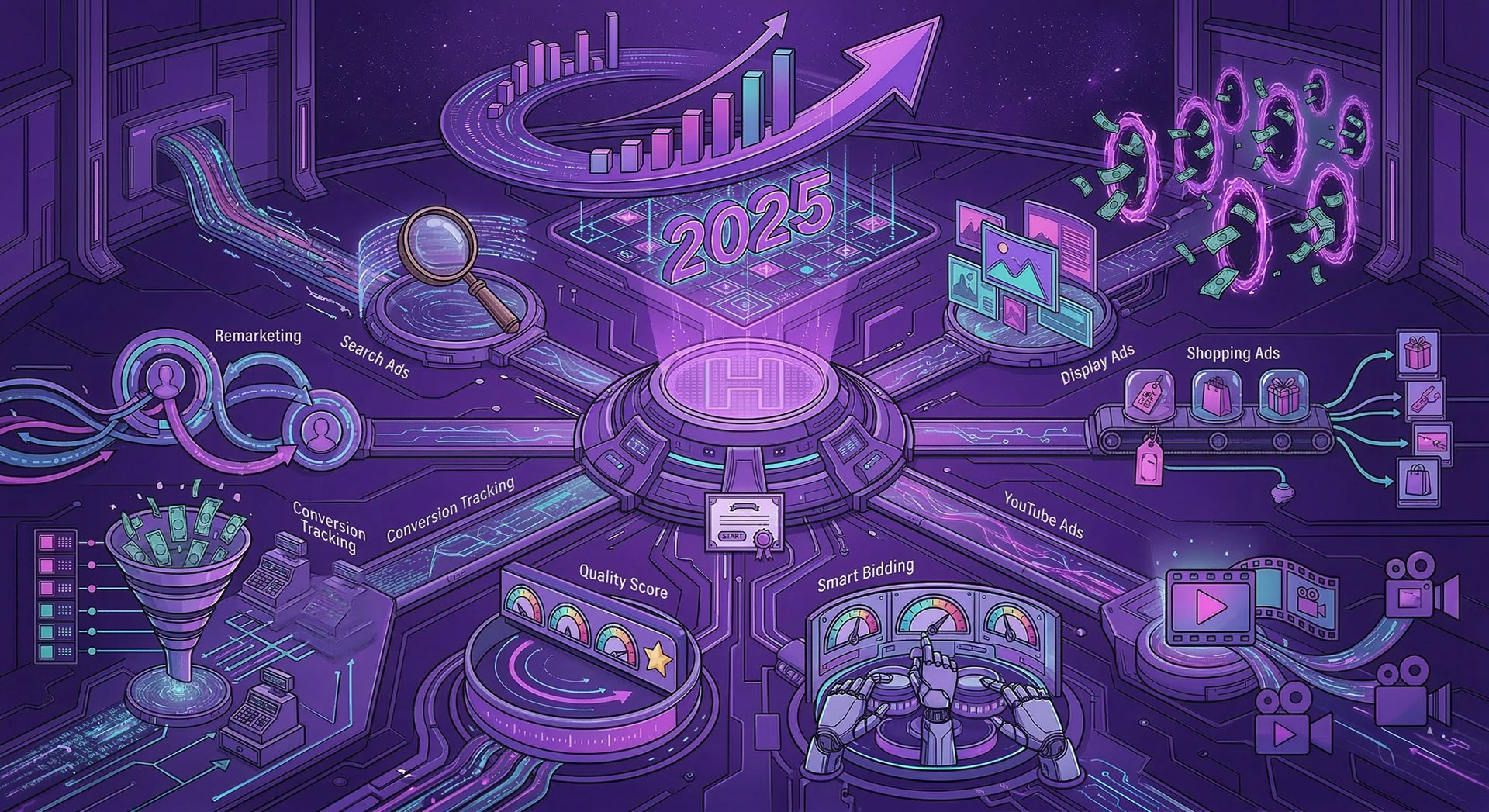
Google Ads in 2025: The Ultimate Guide to Google Advertising That Generates Real Business Growth
Master Google Ads in 2025 with Hirloye's ultimate guide. Learn Search, Display, Shopping & YouTube Ads, Smart Bidding, Quality Score, Remarketing, Conversion Tracking & the 8 mistakes draining your budget. Free Google Ads audit available.
PAID ADVERTISING
3/14/202618 min read
INTRODUCTION :
If your business isn't running Google Ads in 2025, you're handing customers directly to your competitors — every single day.
Google Ads (formerly known as Google AdWords) is the world's most powerful pay-per-click (PPC) advertising platform. With over 8.5 billion searches happening on Google every single day, Google Ads puts your business directly in front of people who are actively searching for exactly what you sell — at the exact moment they're ready to buy.
This isn't cold outreach. This isn't interruption marketing. This is intent-based advertising at its absolute finest — and no other digital advertising platform in the world can match it.
At Hirloye | Empowering Businesses, Elevating Revenues, Google Ads management is one of our core digital marketing specialisations. In this comprehensive Google Ads guide, we're going to break down everything — how Google Ads work, every Google Ads campaign type, advanced Google Ads bidding strategies, the most common Google Ads mistakes, our proven Google Ads management process, and exactly how your business can use Google PPC advertising to generate a flood of qualified leads, eCommerce sales, phone calls, and revenue in 2025.
Let's get into it.
What Are Google Ads? (Google PPC Advertising Explained)
Google Ads is Google's online advertising platform that allows businesses to display paid ads across Google Search, Google Display Network, YouTube, Google Shopping, Google Maps, and Google Discover. Advertisers bid on keywords, audiences, and placements and pay only when users take a defined action — a click, a call, a view, or a conversion.
This pay-per-click (PPC) model means you only pay when someone genuinely engages with your Google ad — making it one of the most cost-effective digital advertising solutions available to businesses of any size.
The Google Ads platform is managed through Google Ads Manager (previously Google AdWords Manager) and is deeply integrated with Google Analytics 4 (GA4), Google Search Console, Google Tag Manager, Google Merchant Center, and Google My Business (GMB) — creating a powerful, connected digital marketing ecosystem for businesses that use it correctly.
Google Ads serves ads across:
Google Search Network — Text ads on Google Search results pages (SERPs)
Google Display Network (GDN) — Banner and image ads across 2+ million websites
YouTube Ads — Video advertising on the world's second-largest search engine
Google Shopping Ads — Product listing ads (PLAs) for eCommerce businesses
Google Maps Ads — Local search ads that appear directly in Google Maps
Google Discover Ads — Native ads on the Google Discover feed
Gmail Ads — Sponsored promotions inside Gmail inboxes
Google Performance Max (PMax) — AI-powered cross-channel campaigns across all Google properties
Why Google Ads Are the Most Powerful Customer Acquisition Tool in 2025
In a world full of digital marketing channels — Meta Ads, SEO, social media marketing, email marketing, influencer marketing — why is Google Ads consistently ranked as the #1 paid advertising platform for ROI?
Because of one simple, undeniable fact:
Google Ads Captures Buyer Intent — Nothing Else Comes Close
When someone types "best digital marketing agency in Chennai" or "Google Ads management services near me" or "buy running shoes online India" into Google Search — they are not casually browsing. They are actively looking for a solution, a product, or a service. They have purchase intent. They are ready to act.
Google Search Ads position your business at the very top of these high-intent search results — above all organic SEO results — capturing the attention of buyers at the precise moment they are looking for what you offer.
No other paid advertising platform — not Facebook Ads, not Instagram Ads, not LinkedIn Ads — can replicate this level of buyer intent targeting.
Google Ads by the Numbers — Why Every Business Needs Google PPC
Google processes 8.5 billion+ searches per day — the largest search advertising opportunity on the planet
Businesses make an average of $2 in revenue for every $1 spent on Google Ads (Google Economic Impact Report)
Google Ads reach over 90% of internet users globally through the Google Display Network
65% of people click on Google Ads when they are ready to make a purchase
Google Search Ads deliver an average click-through rate (CTR) of 3.17% across all industries
Google Shopping Ads account for over 65% of all eCommerce ad clicks
Businesses using Google Ads alongside SEO see up to 50% more conversions than using either alone
YouTube (owned by Google) is the second largest search engine in the world with 2.7 billion monthly users
Unmatched Return on Ad Spend (ROAS)
Google Ads consistently delivers some of the highest return on ad spend (ROAS) of any paid digital advertising channel — especially for high-intent keywords in competitive industries like finance, legal, healthcare, real estate, education, eCommerce, and professional services.
When your Google Ads campaigns are structured correctly, optimised regularly, and paired with high-converting landing pages, Google PPC advertising is one of the most reliable and scalable revenue-generating machines any business can invest in.
Every Type of Google Ads Campaign Explained
Understanding the full suite of Google Ads campaign types is essential to building the right Google advertising strategy for your business. Here's a complete breakdown:
1.Google Search Ads — The King of Intent-Based Advertising
Google Search Ads are text-based pay-per-click ads that appear at the top (and bottom) of Google Search Engine Results Pages (SERPs) when users search for specific keywords.
Google Search Ads are the most direct form of keyword-targeted advertising available. They appear above all organic search results, making them the first thing users see when they search on Google.
Key components of Google Search Ads:
Headlines (up to 15, shown in combinations of 3) — your primary ad copy
Descriptions (up to 4, shown in combinations of 2) — supporting ad text
Display URL — the URL shown in the ad
Final URL — the landing page users land on after clicking
Ad Extensions (now called Google Ads Assets) — additional info like call buttons, sitelinks, structured snippets, price extensions, lead form extensions, and more
Google Responsive Search Ads (RSAs) are now the standard format, where Google's AI automatically tests combinations of your headlines and descriptions to find the best-performing ad copy.
Google Search Ads work best for:
Service businesses (plumbers, lawyers, dentists, agencies, consultants)
High-intent product searches ("buy iPhone 15 online", "running shoes under 5000")
Lead generation for B2B companies
Local businesses targeting specific cities or areas
Emergency services (locksmith, AC repair, towing)
2. Google Display Ads — Visual Advertising at Massive Scale
Google Display Ads are image-based banner ads that appear across the Google Display Network (GDN) — a collection of over 2 million websites, apps, and Google-owned properties including YouTube, Gmail, and Google Finance.
Google Display Ads are a powerful tool for:
Brand awareness campaigns — getting your brand in front of massive audiences
Remarketing / Retargeting campaigns — re-engaging users who previously visited your website
Interest-based targeting — reaching users based on their browsing behaviour and in-market audiences
Contextual targeting — placing ads on websites that are relevant to your product or service
Google Display Ad formats include:
Responsive Display Ads (RDA) — Google automatically generates and optimises ads using your assets
Static image ads — Fixed banner ads in standard IAB sizes
HTML5 ads — Animated, interactive display ads
Gmail Sponsored Promotions — Ads that appear inside Gmail
Google Display Network targeting options:
Affinity Audiences — Users with long-term interest patterns
In-Market Audiences — Users actively researching or comparing products/services
Custom Intent Audiences — Users who searched specific keywords on Google
Remarketing Audiences — Previous website visitors, app users, YouTube viewers
Similar Audiences / Optimised Targeting — New users similar to your best customers
Demographic Targeting — Age, gender, parental status, household income
Contextual Targeting — Websites matching specific topics or keywords
Placement Targeting — Specific websites, apps, or YouTube channels
3. Google Shopping Ads — The eCommerce Advertising Powerhouse
Google Shopping Ads (also called Product Listing Ads or PLAs) are visual product ads that appear at the top of Google Search results and on the Google Shopping tab — showing your product image, product title, price, store name, and product ratings.
For eCommerce businesses, Google Shopping Ads are non-negotiable. They consistently deliver the highest conversion rates and best ROAS of any Google Ads campaign type because they show buyers exactly what they're getting before they even click.
Google Shopping Ads are powered by your Google Merchant Center product feed — a structured data file containing all your product information: titles, descriptions, images, prices, availability, and more. Optimising your Merchant Center product feed is just as important as your Google Ads bidding strategy for Shopping success.
Types of Google Shopping campaigns:
Standard Shopping campaigns — Manual control over bids, product groups, and negative keywords
Smart Shopping campaigns (now merged into Performance Max) — AI-automated Shopping + Display + YouTube + Gmail
Performance Max for eCommerce — The new standard for Google Shopping advertising
Google Shopping Ads work best for:
eCommerce stores with product catalogues
Retail brands selling physical products
Marketplace sellers (Flipkart, Amazon third-party sellers)
D2C (Direct-to-Consumer) brands
4. YouTube Ads — Video Advertising on the World's Second Largest Search Engine
YouTube Ads are video advertisements served across YouTube — the world's second largest search engine and second most visited website with over 2.7 billion monthly active users. All YouTube Ads are managed through Google Ads Manager.
YouTube ad formats:
TrueView In-Stream Ads (Skippable) — Plays before/during YouTube videos; viewers can skip after 5 seconds. You pay only if the viewer watches 30 seconds or more or clicks your ad. Best for brand storytelling and awareness campaigns.
Non-Skippable In-Stream Ads — 15-second ads viewers cannot skip. Best for high-impact brand awareness with guaranteed views.
Bumper Ads — 6-second non-skippable ads. Best for quick brand reminders and frequency campaigns.
In-Feed Video Ads (Discovery Ads) — Appear in YouTube search results and on the YouTube homepage. Best for capturing high-intent YouTube searchers.
YouTube Shorts Ads — Vertical video ads appearing between YouTube Shorts. The fastest-growing YouTube ad format in 2025.
YouTube Masthead Ads — Premium homepage takeover ads for massive reach. Reserved buying only.
YouTube Ads targeting options:
Keyword targeting — Reach viewers based on what they search on YouTube
Topic targeting — Reach viewers watching content on specific topics
Audience targeting — In-Market Audiences, Affinity Audiences, Custom Intent Audiences, Remarketing
Placement targeting — Specific YouTube channels and videos
Demographic targeting — Age, gender, parental status, household income
5. Google Local Ads & Google Maps Ads — Dominate Local Search
Google Local Search Ads and Google Maps Ads appear when users search for businesses near them on Google Search and Google Maps. They show your business name, location, phone number, ratings, hours, and a click-to-call button — making them the most powerful local advertising tool available for local businesses.
Google Local Ads are powered by your Google My Business (GMB) / Google Business Profile — which is why having a fully optimised GMB listing is critical for maximising your local Google Ads performance.
Google Local Ads work best for:
Restaurants and food businesses
Retail stores
Service area businesses (plumbers, electricians, AC technicians)
Medical and dental clinics
Real estate agencies
Salons and spas
Auto repair shops
Any local business wanting to dominate their geographic area
6. Google Performance Max (PMax) — AI-Powered Advertising Across All Google Channels
Google Performance Max (PMax) is Google's newest and most advanced campaign type — a single AI-powered campaign that automatically serves ads across all Google channels: Search, Display, YouTube, Shopping, Maps, Discover, and Gmail.
Performance Max campaigns use Google's machine learning and Smart Bidding to automatically optimise ad delivery, audience targeting, creative combinations, and bidding in real time — with the goal of maximising conversions or conversion value within your target CPA or target ROAS.
PMax is now the recommended campaign type for:
eCommerce brands (replaces Smart Shopping)
Lead generation businesses with strong conversion tracking
Omnichannel advertisers wanting reach across all Google properties
Businesses with well-established audience signals and creative assets
Performance Max requires:
Strong conversion tracking setup (Google Ads Conversion Tags + GA4)
High-quality creative assets (images, videos, headlines, descriptions, logos)
Clear audience signals to guide Google's AI
Sufficient conversion volume (50+ conversions/month minimum for best results)
Google Ads Bidding Strategies Explained
Choosing the right Google Ads bidding strategy is one of the most critical decisions in your Google PPC campaign setup. Here's a complete breakdown of every Google Ads Smart Bidding and manual bidding strategy:
Smart Bidding Strategies (AI-Automated)
Target CPA (Cost Per Acquisition) Google automatically sets bids to get as many conversions as possible at your target cost per acquisition. Best for lead generation campaigns with consistent conversion volume (30+ conversions/month).
Target ROAS (Return on Ad Spend) Google automatically sets bids to maximise conversion value at your desired ROAS. Best for eCommerce campaigns where different products have different profit margins. Requires solid conversion value tracking through Google Ads and Google Analytics 4.
Maximise Conversions Google automatically sets bids to get the maximum number of conversions within your daily budget. Best for new campaigns building conversion history before switching to Target CPA.
Maximise Conversion Value Google automatically optimises bids to generate the highest total conversion value within your budget. Best for eCommerce and lead gen campaigns where maximising revenue is the primary goal.
Enhanced CPC (ECPC) A semi-automated strategy where Google adjusts your manual bids up or down based on the likelihood of conversion. A good middle ground between manual bidding and full Smart Bidding.
Manual Bidding Strategies
Manual CPC You set individual maximum CPC bids for each keyword, ad group, or placement. Gives maximum control but requires constant bid management and deep Google Ads expertise.
Target Impression Share Google automatically sets bids to show your Search ads at the top of Google Search results at a defined impression share percentage. Best for brand awareness campaigns and branded keyword campaigns.
CPM (Cost Per Thousand Impressions) Available for Display and YouTube campaigns. You pay per 1,000 impressions rather than per click — best for brand awareness when reach and visibility are the goal.
CPV (Cost Per View) Used exclusively for YouTube Ads. You pay when a viewer watches 30 seconds of your video ad (or the full video if shorter) or clicks on it.
Google Ads Keywords: The Foundation of Every Successful Campaign
Keyword research is the bedrock of Google Search Ads. Choosing the right keywords, the right match types, and the right negative keywords determines whether your Google Ads campaigns generate profit or waste budget.
Google Ads Keyword Match Types
Broad Match Your ad can show for any search that Google considers relevant to your keyword — including synonyms, related searches, and paraphrases. Maximum reach, lowest precision. Best used with Smart Bidding and broad match keywords strategy in 2025.
Phrase Match Your ad shows for searches that include the meaning of your keyword phrase. More controlled than broad match while still capturing variations. Denoted with quotation marks: "Google Ads management"
Exact Match Your ad shows only for searches with the same meaning or intent as your exact keyword. Highest precision, lowest volume. Denoted with square brackets: [Google Ads management services]
The Power of Negative Keywords
Negative keywords prevent your Google Ads from showing for irrelevant searches — saving your ad budget from being wasted on clicks that will never convert.
Building a comprehensive negative keyword list is one of the highest-value optimisations in Google Ads management:
Add negative keywords at the campaign level for site-wide exclusions
Add negative keywords at the ad group level for granular control
Build negative keyword lists and apply them across multiple campaigns
Regularly review Search Terms Reports to find and add new negative keywords
Google Ads Keyword Research Tools
Google Keyword Planner — Free tool inside Google Ads Manager for keyword research, search volume data, and CPC estimates
Google Search Console — Shows what organic keywords bring users to your site (great for Google Ads keyword ideas)
Google Trends — Identify seasonal keyword trends and rising search queries
SEMrush / Ahrefs / SpyFu — Third-party keyword research tools for competitor keyword analysis and keyword gap analysis
Google Ads Quality Score: What It Is & Why It Matters
Quality Score is Google's rating (from 1 to 10) of the relevance and quality of your keywords, ads, and landing pages. It is one of the most important metrics in Google Ads because it directly impacts:
Your Ad Rank — where your ad appears on the SERP
Your actual cost per click (CPC) — higher Quality Score = lower CPC
Your ad eligibility — whether your ad shows at all for a given search
Quality Score is determined by three factors:
Expected Click-Through Rate (CTR) How likely your Google ad is to get clicked compared to other ads showing for the same keyword. Strong ad copy, relevant keywords, and compelling CTAs improve expected CTR.
Ad Relevance How closely your ad copy matches the search intent of the keyword being searched. Your headline, description, and display URL should all contain or closely relate to the target keyword.
Landing Page Experience How relevant, useful, and user-friendly your landing page is for users who click your Google ad. A high-converting landing page with fast page load speed, mobile responsiveness, relevant content, and clear calls to action is essential for a high Quality Score — and for turning PPC clicks into actual conversions.
Improving Quality Score reduces your cost per click, improves your Ad Rank, and makes your entire Google Ads campaign more profitable.
Google Ads Conversion Tracking: The Most Important Setup Step
Google Ads conversion tracking is the single most critical technical setup in Google PPC advertising. Without proper conversion tracking, Google's Smart Bidding algorithms have no data to optimise for — and you have no way to measure your actual ROI from Google Ads.
What to Track as Google Ads Conversions:
Form submissions / Lead form completions
Phone calls (from ads and from website)
eCommerce purchases (with transaction value and revenue tracking)
Add to cart events
App installs
Key page visits (pricing page, thank you page)
Chat initiations
Video views (for YouTube campaigns)
How to Set Up Google Ads Conversion Tracking:
Google Ads Global Site Tag (gtag.js) or Google Tag Manager (GTM) — Install on all pages of your website
Google Ads Conversion Actions — Define each conversion and its value in Google Ads Manager
Google Analytics 4 (GA4) Import — Import GA4 goals into Google Ads for richer conversion data
Enhanced Conversions — Use hashed first-party data to improve conversion measurement accuracy (especially important post iOS 17 privacy updates)
Google Ads Remarketing: Turn Window Shoppers Into Paying Customers
Google Ads remarketing (also called Google retargeting) allows you to show targeted ads to users who have previously visited your website, used your app, or interacted with your YouTube channel — across the Google Display Network, YouTube, Google Search (RLSA), and Gmail.
Google remarketing is one of the highest-ROI strategies in all of Google advertising because you're targeting people who already know your brand and have shown purchase intent.
Types of Google Ads Remarketing:
Standard Remarketing Show Google Display Ads to past website visitors as they browse other websites on the Google Display Network.
Dynamic Remarketing Automatically show personalized ads featuring the exact products or services a user viewed on your website. The highest-converting remarketing format for eCommerce businesses.
Remarketing Lists for Search Ads (RLSA) Adjust your Google Search Ads bids for users who have previously visited your website — bid higher for warm audiences, bid lower for first-time visitors.
YouTube Remarketing Show YouTube video ads to users who previously visited your website, watched your YouTube videos, or subscribed to your YouTube channel.
Customer Match Upload your email list or phone number list and show Google Ads directly to your existing customers or leads across Google Search, Display, YouTube, Shopping, and Gmail.
Google Ads for Local Businesses in India: Everything You Need to Know
Google Ads is one of the most powerful local business advertising tools available in India. Whether you run a restaurant, clinic, law firm, real estate agency, coaching institute, gym, or any other local business — Google Ads can drive a consistent stream of local customers, phone calls, and walk-ins to your business.
Best Google Ads Strategies for Local Businesses in India:
Location Targeting Target users within a specific radius (as small as 1 km) of your business location. Available for all Google Ads campaign types.
Call-Only Ads Google Call-Only Ads display your phone number prominently and only appear on mobile devices — making it easy for local customers to call you directly from the Google SERP. Perfect for service businesses that rely on phone inquiries.
Google Maps Ads (Local Search Ads) Appear at the top of Google Maps search results when local users search for businesses like yours. Requires an optimised Google Business Profile (formerly GMB).
Ad Scheduling (Dayparting) Show your Google Ads only during your business hours — or increase bids during peak inquiry times. Prevents wasted ad spend outside business hours.
Local Keywords Target hyper-local keywords like "digital marketing agency in Chennai", "Google Ads management services near me", "best PPC agency Chennai" — high-intent searches that convert at dramatically higher rates than generic keywords.
WhatsApp Business Extensions In India, Google Ads WhatsApp extensions allow users to initiate a WhatsApp conversation directly from your Google Search Ad — a powerful lead generation tool for the Indian market where WhatsApp is the dominant messaging platform.
Hirloye's Proven 6-Step Google Ads Management Process
At Hirloye | Empowering Businesses, Elevating Revenues, we follow a rigorous, data-driven 6-step Google Ads management process that delivers consistent, measurable results for every client:
Step 1: Deep Business Discovery & Google Ads Audit
Before we write a single headline or bid on a single keyword, we invest time in understanding your business inside and out. We conduct a thorough Google Ads account audit (if you're an existing advertiser), competitor PPC analysis, keyword research, search volume analysis, and industry benchmarking — building a complete picture of your Google Ads opportunity and the best path to PPC success.
Step 2: Google Ads Account Structure & Campaign Build
We build your Google Ads campaigns from the ground up using proven account structure best practices. This includes setting up campaign types, ad groups, keyword lists, negative keyword lists, bidding strategies, ad schedules, location targeting, device targeting, audience layers, and ad extensions / Google Ads assets. A strong campaign structure is the foundation everything else is built on.
Step 3: Conversion Tracking & Analytics Setup
We install and configure Google Ads Conversion Tracking, Google Tag Manager (GTM), Google Analytics 4 (GA4), and Enhanced Conversions to ensure every lead, purchase, phone call, and key action is tracked accurately. Without bulletproof conversion tracking, you're running Google Ads blindfolded. We make sure you have 100% visibility into your campaign performance and ROI.
Step 4: High-Converting Ad Copy & Creative Development
Our Google Ads copywriting team crafts compelling Responsive Search Ads (RSAs), Display ad creatives, YouTube video scripts, and Shopping ad feed optimisations designed to maximise click-through rates (CTR), Quality Scores, and conversion rates. Every headline, every description, every CTA is written with one goal: making the right person click and convert.
Step 5: Continuous Optimisation & A/B Testing
Google Ads management is not a set-it-and-forget-it job. Our team monitors your campaigns daily, optimising bids, budgets, keywords, ad copy, audiences, placements, and landing pages to drive performance improvements week over week. We run systematic A/B tests on headlines, descriptions, landing page layouts, and CTAs — constantly finding new ways to lower your cost per conversion and increase your ROAS.
Step 6: Performance Reporting & Strategic Scaling
Every week and month, you receive a comprehensive Google Ads performance report covering every metric that matters: impressions, clicks, CTR, average CPC, conversion rate, cost per conversion, total conversions, ROAS, and revenue attributed to Google Ads. When we identify winning campaigns and ad groups, we scale budgets strategically — compounding your results and growing your Google Ads ROI month after month.
The 8 Biggest Google Ads Mistakes That Drain Your Budget
Mistake 1: No Conversion Tracking Setup
Running Google Ads without conversion tracking is like driving blindfolded. Google's Smart Bidding algorithms need conversion data to optimise — without it, your campaigns will never reach their potential.
Mistake 2: Using Only Broad Match Keywords Without Negatives
Broad match keywords without a robust negative keyword list will blow your entire ad budget on completely irrelevant searches. Your search term reports will be full of wasted spend.
Mistake 3: Sending Traffic to Your Homepage
Your Google Ads landing page should be a dedicated, conversion-optimised landing page — not your generic homepage. A relevant, fast, and focused landing page dramatically improves Quality Score, conversion rate, and Google Ads ROI.
Mistake 4: Ignoring Quality Score
A low Quality Score means higher CPCs and lower Ad Rank. Businesses that invest in improving ad relevance, expected CTR, and landing page experience see dramatic reductions in their cost per click — sometimes 30–50%.
Mistake 5: Setting & Forgetting Campaigns
Google Ads campaigns require regular, active management — bid adjustments, keyword expansion, negative keyword additions, ad testing, audience refinements, and budget reallocation. Campaigns that aren't actively managed waste budget and miss opportunities.
Mistake 6: Wrong Campaign Objective / Bidding Strategy
Using Maximise Clicks when you want leads — or using Target CPA before your account has enough conversion data — leads to poor results. Matching your bidding strategy to your campaign maturity and business goal is critical.
Mistake 7: Not Using Ad Extensions / Google Ads Assets
Google Ads Assets (formerly extensions) like sitelinks, callouts, structured snippets, call extensions, lead form extensions, and price extensions increase your ad real estate, improve CTR, and provide additional conversion pathways — all at no extra cost per impression.
Mistake 8: No Remarketing Strategy
First-time website visitors rarely convert. Google remarketing campaigns targeting previous website visitors and cart abandoners consistently deliver the best conversion rates and lowest CPA in the entire Google Ads ecosystem. If you're not remarketing, you're losing money.
Google Ads FAQs — Everything Businesses Ask Us
Q: How much does Google Ads cost in India? There is no fixed Google Ads cost — you set your own daily budget and maximum CPC bid. Most small businesses in India start with ₹500–₹1,500/day (₹15,000–₹45,000/month). Competitive industries like real estate, finance, legal, and healthcare may require higher budgets. Hirloye helps you determine the right Google Ads budget based on your industry, goals, and keyword competition.
Q: How long before Google Ads starts generating leads? Google Search Ads can start generating leads and website traffic within hours of going live. However, Smart Bidding strategies like Target CPA require a learning phase of 1–2 weeks and 30–50 conversions to fully optimise. Most businesses see strong campaign performance within 2–4 weeks of launch.
Q: What is Google Ads Quality Score and why does it matter? Quality Score (rated 1–10) measures the relevance of your keywords, ads, and landing pages. A higher Quality Score means lower CPCs, better Ad Rank, and more impressions for the same budget. It's one of the most important metrics in Google Ads management.
Q: Do I need a website for Google Ads? For most Google Ads campaign types, yes — you need a landing page or website to send traffic to. Google Call-Only Ads are the exception, as they drive direct phone calls without a landing page. Hirloye offers website development and landing page design services to ensure your site converts Google Ads traffic into real customers.
Q: What is Google Performance Max and should I use it? Google Performance Max (PMax) is Google's newest AI-powered campaign type that runs across all Google channels simultaneously. It's particularly powerful for eCommerce businesses and lead generation advertisers with sufficient conversion data. Whether PMax is right for you depends on your campaign maturity, conversion volume, and creative asset quality. Hirloye's Google Ads experts can assess whether Performance Max is the right fit for your account.
Q: Can Google Ads work for a small local business? Absolutely. Google Local Search Ads, Google Maps Ads, and Call-Only Ads are specifically designed for local businesses. With proper location targeting, local keywords, and call extensions, Google Ads can be one of the most cost-effective customer acquisition channels for any local business in India — regardless of budget size.
Q: What is the difference between Google Ads and SEO? Google Ads (PPC) provides immediate visibility at the top of Google Search results in exchange for a cost per click. SEO (Search Engine Optimization) builds organic search rankings over time — free per click but requiring significant time and effort to achieve results. The most successful businesses use Google Ads for immediate leads and revenue while simultaneously investing in SEO for long-term organic growth. At Hirloye, we offer both Google Ads management and SEO services to give your business the best of both worlds.
Why Choose Hirloye for Google Ads Management?
At Hirloye | Empowering Businesses, Elevating Revenues, we're not a generic digital marketing agency that dabbles in Google Ads on the side. Google Ads management is one of our core competencies — and we bring the expertise, tools, and strategic thinking to make it work for your business.
Certified Google Ads Expertise — Deep knowledge of Google Search Ads, Display Ads, Shopping Ads, YouTube Ads, and Performance Max
Full Conversion Tracking Setup — GA4, GTM, Enhanced Conversions, and Google Ads Conversion Tags configured correctly from day one
Keyword Research & Competitive Intelligence — We identify the highest-value keywords and competitive gaps in your market
Compelling Ad Copy — Responsive Search Ads and Display creatives written to maximise CTR and Quality Score
Smart Bidding Mastery — We know when to use Target CPA, Target ROAS, Maximise Conversions, and Manual CPC — and when to switch
Remarketing Excellence — RLSA, Dynamic Remarketing, Customer Match, and YouTube Remarketing fully utilised
Transparent Weekly Reporting — Clear, jargon-free reports showing exactly what your Google Ads budget is delivering
Integrated Strategy — We connect Google Ads with Meta Ads, SEO, GMB, and landing page optimisation for maximum digital marketing ROI
Ready to Make Google Ads Work for Your Business?
Google Ads is the most powerful paid advertising platform ever created — but only when managed with the right strategy, structure, and expertise. The difference between a Google Ads campaign that drains your budget and one that generates 10x ROI comes down to the quality of management behind it.
At Hirloye | Empowering Businesses, Elevating Revenues, we live and breathe Google Ads. From keyword research and campaign structure to bid optimisation, ad copywriting, conversion tracking, and strategic scaling — we handle everything, so you can focus on serving the customers we send your way.
Contact Hirloye today for a free Google Ads audit and let's build a Google Ads strategy that takes your business to the next level.
Hirloye — Empowering Businesses, Elevating Revenues.
Get in Touch
Every great brand transformation starts with a conversation. If you are ready to elevate your visual identity, captivate your audience, and scale with purpose, we’d love to hear your vision. Reach out to our team today, and let’s explore how we can architect your next big move
Pages
info@hirloye.com
+91 79047 13677
© 2025. All rights reserved.
Quick Links





online support
Mon to Sat : 10 AM to 6 PM
For Business Enquiry


NMK Street,Ayanavaram, Chennai - 600023